
No. 2 5 min read
Self-hosting my CV and blog, fediverse included

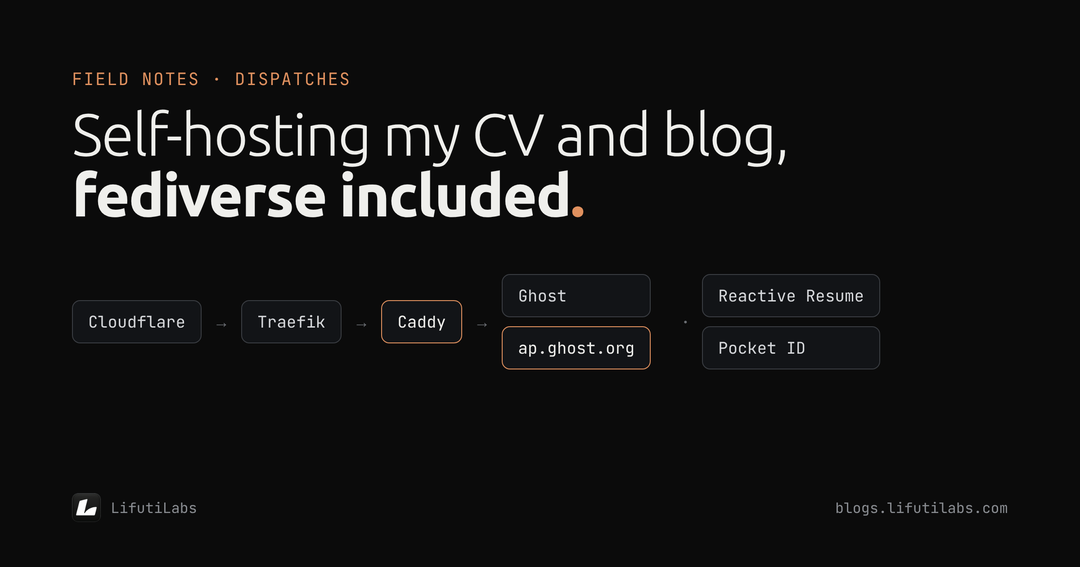
I wanted two things I could point anyone to: a CV that's always up to date, and a place to write. I could have used a CV builder and a hosted blog. Instead I put both on a server I already run, because that's the kind of work I do for the charities I support, and I wanted the same setup for myself.
By the end of one afternoon I had:
- My CV at cv.thomaslifuti.com, built in an editor I control, with a PDF anyone can download.
- This blog at blogs.lifutilabs.com, which also publishes to the fediverse, so people on Mastodon, Threads and Bluesky can follow it.
- One sign-in for both, through my own login service.
Here's how it came together, including the bug that took the longest.
The pieces
Everything runs on a small Oracle Cloud server in my lab, managed with Coolify. Coolify is a control panel that turns a server into something like your own Heroku: you describe an app, it runs it, gives it a web address and an HTTPS certificate, and keeps it running.
| Piece | What it does |
|---|---|
| Reactive Resume | An open-source CV builder. I edit my CV in the browser, and it publishes a live page and a PDF. |
| Ghost | The blogging platform behind this site. |
| Pocket ID | My own login service. One account, with a passkey, signs me in to my apps. |
| Traefik | The front door. Every web request to the server arrives here first and is sent to the right app. |
| Caddy | A small traffic splitter in front of Ghost. More on why below. |
| Cloudflare | DNS for my domains. |
Part 1: the CV
Start from the official guide, not the template
Coolify offers a one-click template for Reactive Resume, but it was written for an older version. It ran five containers, including a headless Chrome for making PDFs and a MinIO file store. The current version (v6) makes PDFs by itself and can store photos in an ordinary folder. So I went to the official Docker guide and rebuilt the setup from that. It's now three containers: the app, PostgreSQL and Redis.
Lesson one: one-click templates go stale. Check the official install guide before you deploy anything, especially for a project that moves fast.
Secrets in Coolify, not in the file
The setup file only names the settings. The values live in Coolify, and the passwords it generates itself, so none of them are typed into or stored in the file. A line like SMTP_PASS=${SMTP_PASS} just says "Coolify fills this in".
Signing in with my own identity provider
Reactive Resume supports any OpenID Connect provider, so I pointed it at Pocket ID, which already runs in my lab. Once it worked, I switched off email-and-password sign-in and new sign-ups. The only way in is through my own login.
The extras
- AI: writing help through Anthropic's Claude, with the key held on the server rather than in the browser.
- Job search: Firecrawl, so I can save a job posting from a link and tailor a CV against it.
- Email: the same mail server my other apps use, for sign-in and notifications.
The CV is the homepage
The best detail is a single setting. ROOT_RESUME_ID tells Reactive Resume to show one public resume at its home address. So cv.thomaslifuti.com doesn't open on a login screen; it opens straight onto my CV, with a download button. When I want a different version in front, I change one ID.
I rebuilt the CV itself from my website's content and a two-year-old PDF, checking dates against letters like an internship completion certificate, then linked my website's "View CV" button straight to it.
Part 2: the blog
Ghost 6, the current way
Again, Coolify's Ghost template was a version behind: Ghost 5, MySQL unpinned, and a health check that only ran echo ok, so it checked nothing. Ghost's official Docker setup has moved on. It uses Ghost 6, a pinned MySQL, and a small web server called Caddy in front.
Coolify already has Traefik as its front door, so why add Caddy? Ghost 6 can publish to the fediverse, the network of independent social sites behind Mastodon and Threads. That part is handled by Ghost's hosted service at ap.ghost.org, and three paths on my blog have to be passed through to it:
/.ghost/activitypub/…/.well-known/webfinger/.well-known/nodeinfo
Everything else goes to Ghost as normal. Traefik can't easily forward paths to an outside address, so Caddy sits behind it, inside the stack, and does that one job.
One more line matters here. Traefik handles HTTPS, so Caddy only ever sees plain HTTP. Unless Caddy is told to trust Traefik's note that the visitor really used HTTPS (trusted_proxies), Ghost thinks every visit is insecure and redirects forever.
The bug: "Site not configured correctly"
The blog worked straight away. The fediverse didn't. Ghost's Network page said "Site not configured correctly", and my blog's fediverse address answered with SITE_MISSING. In other words, Ghost's fediverse service had never heard of my site.
Here's how I narrowed it down:
- Was Caddy forwarding the paths? Yes. Requests reached
ap.ghost.organd came back with its own error messages, not Ghost's. - Was Cloudflare blocking it? I switched off Cloudflare's proxy as a test. Nothing changed, so it wasn't Cloudflare.
- What did Ghost's logs say? One line, each time I switched the feature on:
WARN ActivityPub is unavailable (302) - skipping webhook setupWhen you switch the fediverse on, Ghost calls its own address to register with the service. That call was getting a 302 redirect instead of an answer, so Ghost gave up. - Who sent the 302? I turned on Caddy's request log and opened the address myself. I'd typed
/v1/site/, with a trailing slash, and the address bar came back as/v1/site, without it.
That was the answer. Ghost asks for the address with a trailing slash, the fediverse service redirects it to the version without one, and Ghost refuses to follow redirects on that call, because it carries a sign-in token. That's a sensible security rule, but here it meant the registration never landed.
The fix: two lines
I told Caddy to remove a trailing slash before passing fediverse requests on, so the service never needs to redirect:
handle /.ghost/activitypub/* {
	@slash path_regexp slash ^(.+)/$
	rewrite @slash {re.slash.1}
	reverse_proxy https://ap.ghost.org
}
Then I switched the Network setting off and on again. Caddy's log showed Ghost's call come back 200, Ghost set up its webhooks, and /.well-known/nodeinfo started answering properly. The blog is now on the fediverse.
What I took away
- Check templates against the official docs. Both templates I started from were a major version behind.
- Logs before guesses. The fix took two lines; finding it took a one-line warning in Ghost's log and a request log in Caddy. Turning logging on early would have saved an hour.
- Rule things out one at a time. Switching Cloudflare's proxy off was a quick, reversible test, and it removed a whole branch of suspicion.
- Keep secrets out of files. The setup files can be shared, as they are here, because they contain no passwords.
- Own the address. Both the CV and the blog live on my domains, so they can move servers without breaking a single link.
I did this working alongside an AI assistant: it read logs, drafted configurations and suggested tests, and I made the calls and checked each step. It's how I work on most systems now.
What's next
- Analytics, probably Umami, self-hosted, one dashboard for the blog, website and CV. I'll add it just before I start sharing more widely.
- Newsletters. Ghost sends bulk email only through Mailgun, so that waits until there are readers to send to.
- More dispatches. Travel, work, and more field notes like this one.
If you're running Ghost behind your own reverse proxy and seeing "Site not configured correctly", check for that trailing-slash redirect first.